


Photo Recovery & File Restore
4.0168.00 Reviews
App Specs
- Version
- V1.5.9
- Updated On
- License
- Free
- Downloads
- 1,000,000+
- Developer
- Technology Hub Pro
- Categories
- Tools
- Platform
- Android, iOS
Screenshots


 Analysis by AppCompare
Deleting the wrong photo can turn an ordinary moment into an urgent search for a way back. Photo Recovery & File Restore is built for that kind of problem: it gives you a straightforward place to look for missing pictures and other files without making recovery feel like a technical project. My overall take is that it is most appealing as a quick first attempt, especially for someone who wants to search before giving up or moving to a more involved recovery method.
Why a simple first scan can be useful
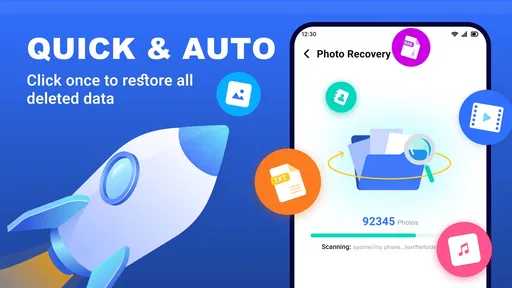
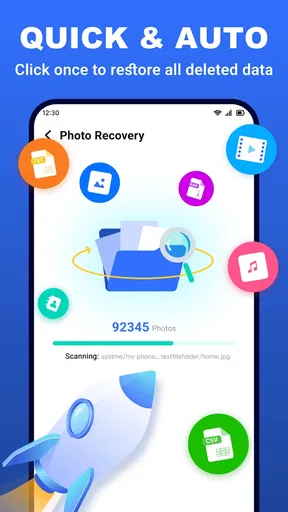
The app’s appeal is its focused purpose. Instead of asking you to learn a desktop recovery workflow, it puts file recovery on your phone, where the deletion likely happened. A fast scan is a sensible first move when you have just removed something by mistake and want to check what may still be recoverable. If that search does not turn up the file, a deeper scan offers another route, though it may take longer.
That distinction matters in practice. I would start with the quicker search when I am looking for one recently deleted picture, then use the deeper option only if the first pass comes up empty. Scanning everything immediately can cost time and produce more results to sort through than a narrow search. When a preview is available, checking the candidate before restoring it is also a useful habit: it helps avoid filling your device with files that merely look relevant by name or thumbnail.
Useful beyond a lost camera photo
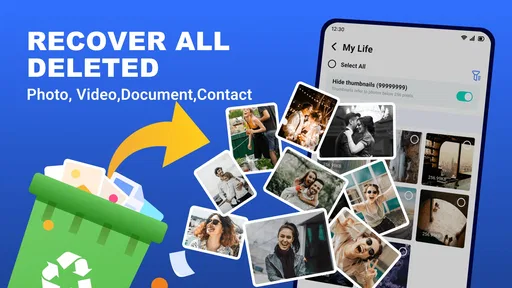
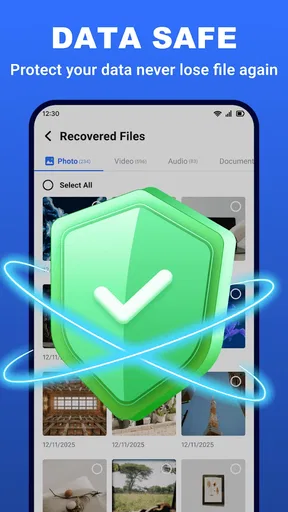
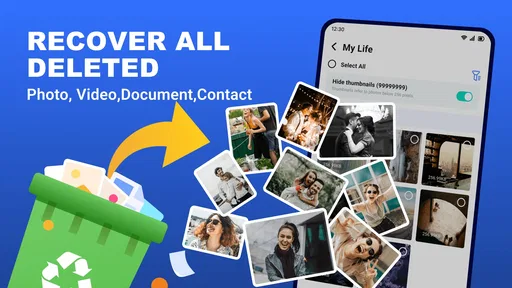
Although photos are the obvious reason to try it, the app is intended for other file types too, including videos, documents, and contacts. That makes it worth considering after a broader cleanup mistake, such as removing a document you still need or losing a contact while tidying your phone. It is not a substitute for keeping a backup, but it can be a convenient place to check before rebuilding something from scratch.
A realistic example is clearing space before leaving home and later realizing that an important image was selected along with disposable screenshots. I would stop deleting files, open the recovery app, search first, and inspect any likely matches before restoring them. If the image is there, that is a much easier outcome than asking someone to send it again or trying to recreate the moment. The practical point is to act promptly and avoid unnecessary changes to the device while you look; recovery tools cannot promise that every deleted item will still be available.
How it fits among recovery options
Compared with the usual alternatives, this is the phone-first option: a direct app-based check rather than beginning with a computer and specialist software. That convenience is helpful when you want to try something immediately, or when the file is not important enough to justify a more involved process. For irreplaceable material, I would not rely on a single mobile scan. I would also check any existing cloud, computer, or messaging backups, since a copy stored elsewhere may be more dependable than trying to recover a deleted original.
One useful trade-off is that a deeper search can be more thorough in scope but slower and less tidy to review. If you know roughly what you lost, keep the search focused and use previews rather than restoring every possible match. If the file does not appear, repeating scans without changing anything may not help; check other places where you might have saved or shared it instead. And if you are dealing with a work-critical document or a uniquely valuable recording, consider a careful backup check before experimenting further.
Worth Reading Before You Choose

EA SPORTS FC Mobile 26 Is a Bigger Football Game, but It Takes Time

Flipboard Shows What News Apps Must Do Beyond the Feed

Switching to Android Auto Means Rethinking Your Driving Routine

Google Calendar Makes a Crowded Week Easier to Manage

Ludo King Makes the Most of the Minutes Between Plans

Baby Panda World Brings Quick Play to Modern Phones, but Its Game Library Feels Busy
For everyday use, the strongest reason to keep this tool in mind is convenience, not a guarantee. It offers a low-friction first step for common mistakes, while the sensible recovery plan still includes backups and a clear idea of which file you need. I would recommend trying it for a recently deleted item, but I would not treat any recovery app as a replacement for prevention.
Getting Started with Photo Recovery & File Restore
First things first, downloading and setting up Photo Recovery & File Restore was a breeze. It’s available on both Android and iOS, so no one’s left out. The interface is clean and intuitive, which means you don’t have to be a tech whiz to navigate it. I loved how the app walks you through the recovery process step by step. It’s like having a personal tech assistant in your pocket!
Features That Stand Out
Once you dive into the app, you’ll notice a bunch of nifty features. The app doesn’t just recover photos; it’s also a lifesaver for other file types. From documents to videos, it’s got you covered. One of my favorite features is the preview option. Before you hit that restore button, you can actually preview files. This means no more recovering unnecessary junk files. Talk about a time saver!
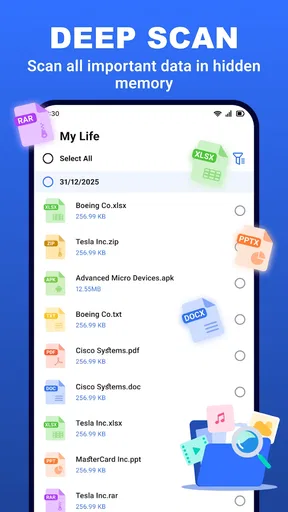
Another sweet feature is the deep scan mode. It digs deep into your device to find those elusive lost files. It takes a bit longer, but patience is a virtue, right? Plus, it’s worth it when you find that long-lost photo from your last vacation.
Performance and Usability
Let’s talk performance. The app runs smoothly without any hiccups. I tested it out on both my Android phone and my friend’s iPhone, and it worked like a charm on both. The recovery process is pretty quick, depending on the size of the files you’re hunting down. I found that small batches of photos were restored in a blink, while larger files took a bit more time.
Usability-wise, the app scores high. The simple layout and clear instructions make it accessible for everyone, whether you’re tech-savvy or more of a casual user. And if you ever get stuck, there’s a handy help section to guide you through.
What to expect before restoring
A scan is a search, not a promise that every deleted file can be brought back. The sooner you check, the better your chances may be, so I would avoid taking lots of new photos, downloading large files, or repeatedly cleaning storage while looking for something important. New activity can make a recovery attempt less straightforward, and no app can restore a file that is no longer accessible to it.
Before tapping restore, I would also think about where the recovered file should go and whether I have enough room for it. If you are trying to retrieve several items, preview and restore only the ones you recognize. That keeps the process more controlled and makes it easier to spot whether the file you wanted has actually returned, rather than assuming that a long results list means success.
Who should try it—and who should look elsewhere
This is a good fit for people who want a simple, on-device attempt after an everyday deletion, especially if they are comfortable checking a preview and making a quick decision about what to restore. It can also suit someone who wants to search for a lost contact or document without starting with a computer. The app is free, has an Everyone content rating, and is made by Technology Hub Pro. It has a 4.0 average from around 8.9 thousand ratings, with over 1 million installs, which gives newcomers a useful sense of its reach without proving that any particular recovery will work.
I would choose another route if I already have a reliable cloud or computer backup, because restoring that copy is usually the more direct option. I would also be cautious about depending on a phone scan for a file that is essential to work or has no replacement. In that situation, check every backup first and avoid treating repeated scans as a substitute for a careful recovery plan. If you mainly need long-term protection rather than a one-time search, a regular backup routine is a better answer than installing a recovery tool after something has gone wrong.
Small workflow choices make a difference. If the missing item was shared in a message or email, check that conversation for an intact copy before scanning. If it was part of a group of photos, use the preview to distinguish the original you want from similar images. And if the scan takes longer than expected, keep the phone available rather than starting several file-management tasks at once; a patient, targeted search is easier to assess than a rushed sequence of changes.
Practical details and my verdict
For Android users, the current version is V1.5.9 and the stated minimum operating-system requirement is Android 7.0. Those details are worth checking before installing, particularly if you are using an older phone. The product is presented as available on both Android and iOS, but these version and system requirements are specifically relevant to the Android release. As a Tools app, it stays focused on finding and restoring files rather than replacing a full backup system.
My recommendation is measured: Photo Recovery & File Restore is worth trying when a recent mistake has left you searching for a photo, video, document, or contact, and you want a simple first check. It is less suitable as a safety net for files you cannot afford to lose, because recovery depends on whether the item remains accessible and a scan cannot guarantee success. I would use it alongside sensible backups, not instead of them. For a quick, low-effort attempt, that is a useful role—and a fair reason to keep it in mind.
Final Thoughts
After spending some quality time with Photo Recovery & File Restore, I can confidently say it’s a must-have for anyone prone to accidental deletions. It’s reliable, easy to use, and packed with features that cater to both novices and pros alike. So, if you’re on the lookout for a file recovery app, this one’s definitely worth checking out. Give it a shot, and you might just thank me later!
Pros
- Recovers various file types efficiently.
- Intuitive user interface for easy navigation.
- Supports both internal and external storage.
- Quick scan and deep scan options available.
- No need for root access on most devices.
Cons
- Limited free recovery options available.
- Occasional false positives in file recovery.
- Ads can be intrusive during use.
- Some features require a subscription.
- May not recover all corrupted files.
FAQs for Photo Recovery & File Restore
How does Photo Recovery & File Restore work?
Photo Recovery & File Restore scans your device's storage to locate deleted photos and files. Once the scan is complete, it presents a list of recoverable items, allowing you to select which files you’d like to restore. The app employs advanced algorithms to ensure maximum recovery success, even for files deleted long ago.
Is Photo Recovery & File Restore safe to use?
Yes, Photo Recovery & File Restore is designed with user safety in mind. It only accesses files necessary for recovery and doesn't alter or damage your existing data. Additionally, the app prioritizes user privacy and does not store or share your data without consent, ensuring a secure recovery process.
What types of files can I recover with this app?
While primarily focused on photo recovery, the app also supports various file types including videos, documents, and audio files. Its versatility makes it a comprehensive solution for users looking to retrieve multiple types of deleted content from their devices.
Does the app require root access on Android devices?
Photo Recovery & File Restore does not require root access for basic recovery functions. However, for deeper scans and increased recovery capabilities, root access may enhance the app’s effectiveness, allowing it to access more system areas where deleted files might reside.
Are there any limitations on the free version of the app?
The free version of Photo Recovery & File Restore offers basic recovery features and limited daily recoveries. To access advanced features, such as unlimited recovery and priority support, users can opt for the premium version, which provides a more robust and unrestricted recovery experience.


